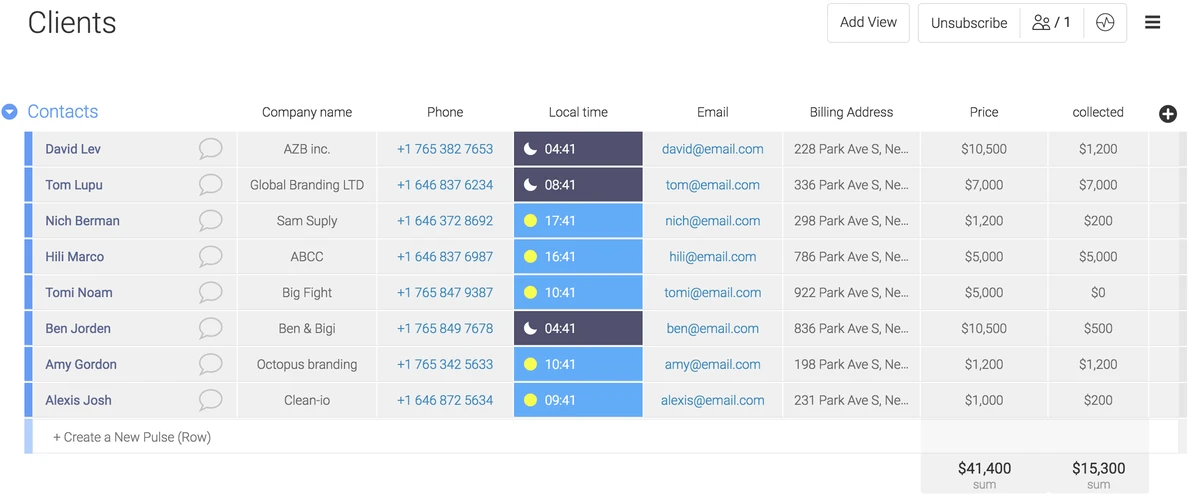
A legal CRM is a specialized system designed to capture client relationships and business development activity, enabling firms to identify growth opportunities and manage the ‘pre-matter’ phase of the client lifecycle. Unlike general CRMs, legal-specific versions focus on ‘matters’ rather than ‘deals’ and include critical legal workflows like conflict-of-interest checking. Industry experts note that most law firms do not lose business because they lack leads, but because the intake process breaks down under real-world volume.
CRM vs. Practice Management: Where does the line sit?
The primary difference is the lifecycle stage: a CRM manages the pre-matter phase (lead capture, intake, and relationship nurturing), while Practice Management software handles the active matter execution (billing, tasks, and case filing). A CRM helps you win the client; Practice Management helps you serve them professionally.
Using a general CRM to manage legal work often creates an operational visibility gap, as these systems typically fail to provide a complete picture of the legal work being performed. While a Practice Management system serves as the foundation for organizing team workflows and controlling billing, it is not designed for the aggressive lead tracking and nurturing required for growth. The distinction is clear: the CRM is for acquisition, while Practice Management is for professional service delivery.
- CRM Focus: Lead qualification, intake automation, relationship mapping, and revenue workflows.
- Practice Management Focus: Case filing, time tracking, billing, and active matter execution.
Matching CRM Features to Your Growth Model
Law firms should choose a CRM based on their growth model: Intake-led practices (e.g., Personal Injury) require high-volume automation, lead qualifying, and rapid response tools. Relationship-led firms (e.g., Boutique Corporate) require relationship intelligence, automatic contact capture, and ‘who knows who’ mapping to leverage existing networks.
Firm Growth Model |
Primary Goal |
Key Feature Needed |
Example Tool |
|---|---|---|---|
Intake-Led |
Lead Conversion |
Automated Intake Workflows |
Lawmatics |
Relationship-Led |
Network Leveraging |
Relationship Intelligence |
Nexl |
The table above illustrates how the choice of software depends on whether the firm prioritizes volume or depth of connection. A tool designed for one model will likely fail the needs of the other.
The Intake-Led Model: Solving Lead Leakage
For high-volume practices, the priority is preventing leads from falling through the cracks. Law Ruler and Lawmatics focus on this efficiency by automating the transition from a marketing lead to a retained client. In this model, the CRM acts as a filter, ensuring that only qualified leads reach the attorney, thereby reducing administrative waste and increasing the conversion rate of initial inquiries.
The Relationship-Led Model: Mapping the Network
Boutique corporate firms rely on “who knows who” to open doors. Nexl and Introhive provide relationship intelligence that maps connections across the firm. Instead of focusing on a lead pipeline, these tools emphasize the strength and currency of existing connections, allowing partners to identify the best path to a decision-maker within a target organization.
Essential Legal CRM Capabilities
A legal CRM must handle the specific ethical and operational requirements of the legal profession, most notably conflict-of-interest checking, which is a non-negotiable feature for any firm to avoid malpractice. Unlike generic sales tools, legal CRMs like Ringover prioritize “matters” over “deals” to align with how lawyers categorize their work.
Effective systems also automate the transition from a lead to a client through structured workflows. ConvergeHub, for example, automates the intake process by auto-assigning consultations, qualifying conflicts of interest, and triggering the delivery of engagement letters before a matter is formally opened in the practice management system.
- Conflict Checking: Immediate screening of new leads against existing client databases.
- Automated Intake: Moving a lead from initial contact to a signed engagement letter without manual data re-entry.
- Client Portals: Tools like those in MyCase allow new clients to file paperwork and pay fees early in the process.
Why Legal CRMs Fail: The ‘Lawyer Friction’ Problem
The most common cause of CRM failure is the reliance on manual data entry. Lawyers often view administrative updates as a burden, leading to a “garbage in, garbage out” scenario where the database becomes outdated as people change roles or move firms. Research highlighted that one third percentage of executives trust their data enough to derive real value from it.
To overcome this friction, relationship insights must be integrated directly into the tools lawyers already use, such as Outlook or Gmail. When a system requires a separate login and manual typing for every interaction, user abandonment is almost inevitable. Furthermore, firms that attempt to change every operational process at once without a transition period often see total system rejection.
Evaluating Your Options: Metrics for Success
Determining the ROI of a CRM requires tracking specific KPIs during a pilot phase rather than relying on anecdotal feedback. It is suggested to measure the response time to new leads, the consultation scheduling rate, the consult show rate, and the total time-to-retain.
To ensure long-term adoption, firms should employ a gradual implementation strategy. Rather than deploying every feature on day one, the most successful rollouts start by simply tracking basic contact information and interactions. Once this becomes a firm-wide habit, more advanced automation and reporting features can be introduced slowly to prevent overwhelming the staff.
- Lead Response Time: How quickly the firm contacts a new inquiry.
- Conversion Rate: The percentage of leads that become signed matters.
- Data Accuracy: The rate of updated contact information across the firm.
FAQ
Can I use a generic CRM like Salesforce or HubSpot for my law firm?
While possible, generic CRMs require significant time, budget, and ongoing maintenance to adapt for legal use. Purpose-built legal CRMs like Nexl provide “matters” and conflict checks out of the box, whereas horizontal platforms often take months of configuration to achieve the same functionality.
What is the risk of relying on lawyers for manual data entry?
Manual entry often leads to unreliable information as people change roles and move firms. This creates a trust gap; according to research, one third percentage of executives trust their data enough to derive real value from it, making automated capture essential.
How does a legal CRM help with client intake?
It automates the process by auto-assigning consultations, qualifying conflicts of interest, and triggering the delivery of engagement letters before a matter is formally opened, as seen in tools like ConvergeHub.